

This guide follows OpenCode 1, which the standard installer sets up. OpenCode 2 also includes Venice AI with a few label changes. See OpenCode 2.
Built-in Provider
Venice AI appears in OpenCode’s
/connect listFull Model Catalog
Every Venice text model is available in
/modelsNo Config Needed
One command connects the account for every project
Prerequisites
- A Venice API key from venice.ai/settings/api
- OpenCode installed and working on your machine
Setup
1
Connect Venice AI
Launch OpenCode and run the connect command:Search for Venice AI and select it.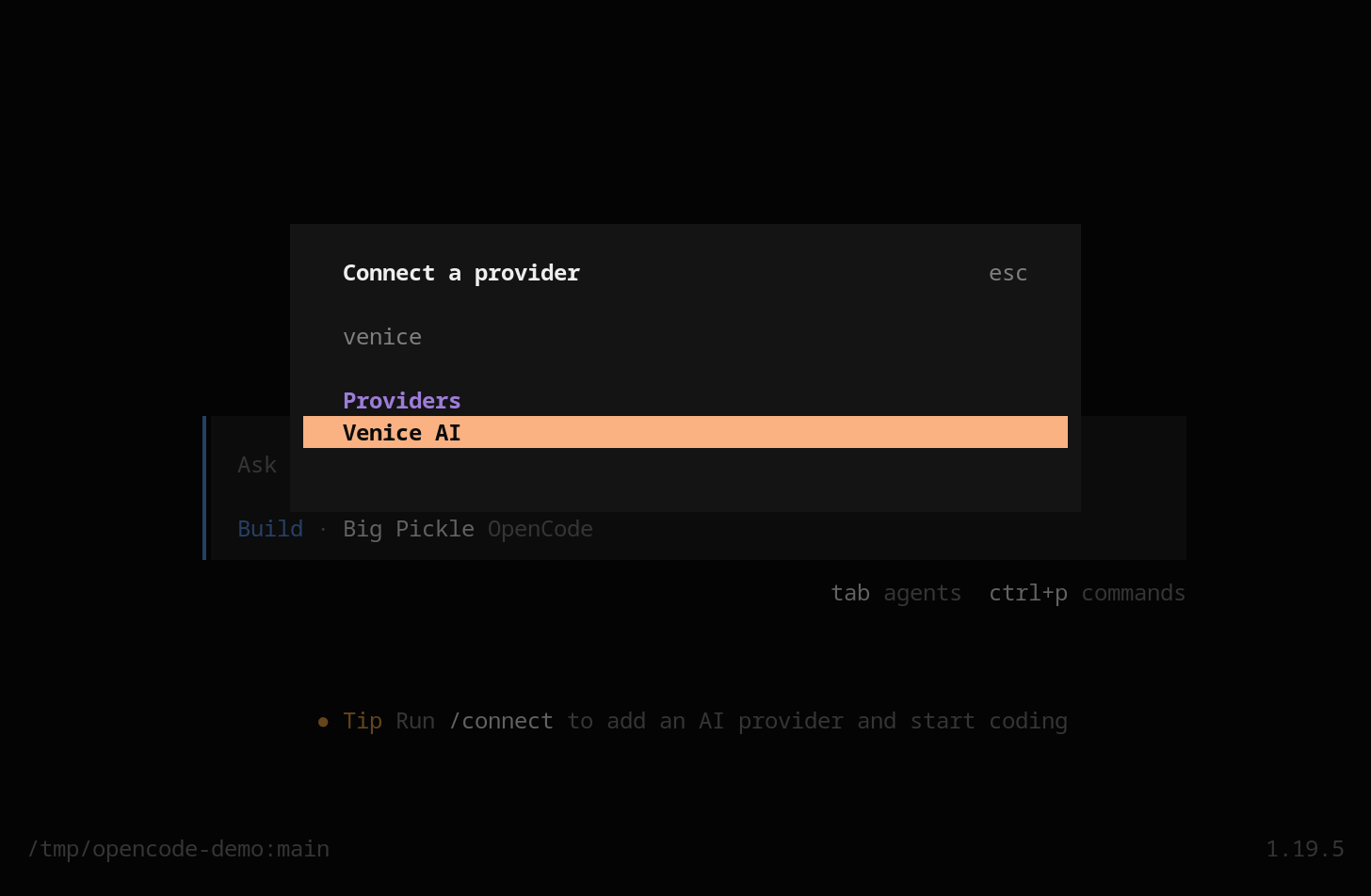
2
Paste your Venice API key
Paste the key into the API key field and press enter.OpenCode stores the credential in
~/.local/share/opencode/auth.json, so it stays available in every project.3
Pick a model
Run the model command and choose a Venice model:
z-ai-glm-5-3-flash is a good default for coding: fast, inexpensive, and a 1M-token context window. See Model IDs for other options.OpenCode also lists its own hosted free tier under similar names, for example GLM-5.3-Flash Free from OpenCode next to GLM 5.3 Flash from Venice AI. The provider name in the right column distinguishes them, and the Venice AI row is the one that uses your key and credits.Pin a default model
After you connect, OpenCode may start new sessions on a routed model such as Claude Sonnet 4.6, which costs more than the models in Model IDs. To choose the model OpenCode starts with, add it toopencode.json in your project root (or ~/.config/opencode/opencode.json for a global default):
venice/<model-id> form, and small_model sets the cheaper model for background tasks.
Connect without /connect
The bundled provider also reads VENICE_API_KEY from the environment. Export it before launching OpenCode and Venice AI models appear in /models without running /connect:
opencode.json. Keep VENICE_API_KEY exported:
models. OpenCode only shows entries declared here for this provider. On builds with the bundled provider, the environment variable alone already gives you the full catalog.
OpenCode 2
OpenCode 2 is a separate release line with its own installer:- The
/connectdialog is titled Connect an integration. Search for Venice AI under Services, then paste your key into the Connect Venice AI dialog. - Exporting
VENICE_API_KEYbefore launch also enables the provider without/connect. - Without a pinned model, OpenCode 2 can also start on a routed model, such as Claude Fable 5.2.
- The
opencode.jsonexamples on this page keep working, because OpenCode 2 still reads the OpenCode 1 config format. In native OpenCode 2 config, set the background model withagents.title.modelinstead ofsmall_model. See OpenCode’s migration guide for the rest of the native format.
Model IDs
A few Venice models that work well in a coding agent. The catalog changes, so useGET /models?type=text for the current list.
Open-weight models such as these run fully private. Routed models from Anthropic, OpenAI, and Google run anonymized, so the upstream lab never sees your identity.
Config Notes
- Keep
baseURLset tohttps://api.venice.ai/api/v1in the manual provider block. The bundled provider already points there. - The provider ID is
venice, so model references use thevenice/<model-id>form in both paths. - Run
/connectagain at any time to replace the stored Venice key. - Broaden context when the model supports it: several Venice models accept 1M tokens.
Troubleshooting
Venice AI is missing from /connect
Venice AI is missing from /connect
Update OpenCode to the latest 1.x release with
opencode upgrade. The Venice AI provider ships with current builds, so an older install may only offer the manual config path above.Invalid API key or 401
Invalid API key or 401
Confirm the key comes from venice.ai/settings/api, then run
/connect, select Venice AI, and paste it again. OpenCode reports an auth failure rather than reaching Venice when the stored key is stale.Model not available
Model not available
Copy the ID exactly from Model IDs, the text model catalog, or
GET /models, and confirm your Venice account has access to it.Still stuck? See what the agent sends
Still stuck? See what the agent sends
Run the local debugging proxy between OpenCode and Venice to log every request and response, including the model ID, tools, and error body the agent actually sent, plus the last four characters of the key it used.
Resources
Venice Text Models
Available Venice model IDs
OpenCode 1 Provider Docs
Provider list and custom provider reference
OpenCode 2 Provider Docs
Native provider config for OpenCode 2